Find the time that works for everyone withWhenWeMeet?
Group scheduling made simple. Plan group meetings in minutes. Share a single link, collect availability, and pick the best time without calendar conflicts.
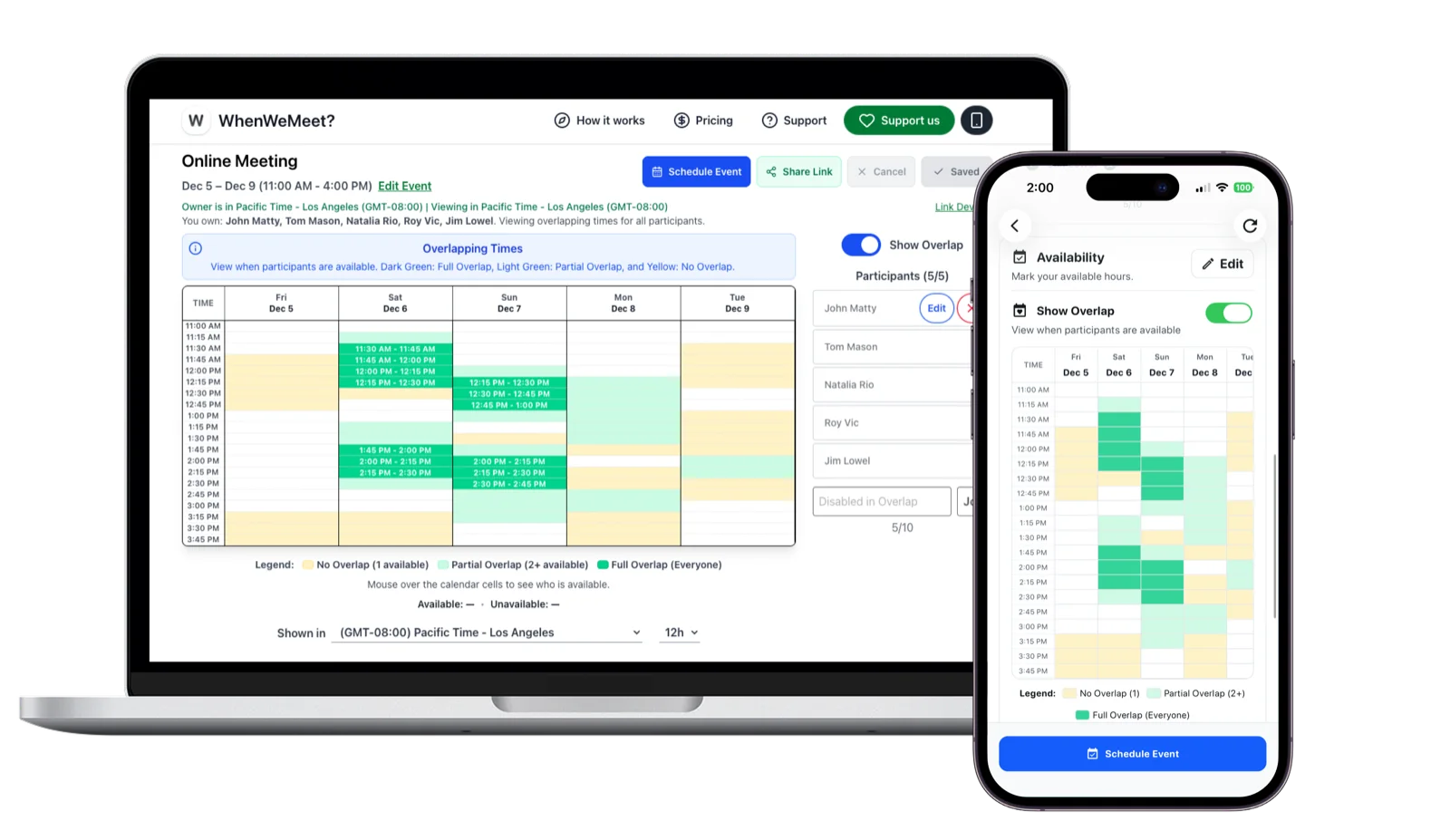
See availability all in one place
Participants mark when they’re free on the availability grid, making it simple to compare schedules and find the best time to meet.
Powerful features to elevate your planning
Make it effortless for everyone to share when they’re free, compare availability, and lock in the perfect time to meet.
Works across time zones
See everyone’s availability in their local time so global teams can align without doing time math.
Simple for participants
Share a single link. Guests just type their name and tap or drag to mark when they’re free.
One-click best time
Instantly spot the time slot that works for the most people with clear, color‑coded overlaps.
Multiple plans at once
Create meeting planners for different teams, projects, or events without juggling endless threads.
Clean, modern interface
A distraction‑free layout that feels familiar to everyone, from busy teams to friends planning a meeting.
Flexible for any group
Use WhenWeMeet for team standups, family gatherings, study sessions, or community events of all sizes.
How it works
Creating a group event is as easy as 1-2-3-4. Just create a meeting planner, share the link, have everyone mark their availability, and pick the best time.
Create a meeting planner with the dates you have in mind.
Share the generated link with your group.
Mark when you’re free by dragging on the grid.
Instantly spot the best overlap and lock in a time.
Explore WhenWeMeet in action
Short previews that show how meeting planners are created, how guests respond, and how you confirm the final time.
Explore WhenWeMeet
Auto availability overview
See how WhenWeMeet brings everyone’s availability into a single, interactive view so you can instantly spot the perfect time.
Participation – simple for everyone
Invite, respond, and confirm in seconds
Watch how participants join with a link, mark when they are free, and help you find the best overlap without any accounts.
Lock in the final time
Pick the winning slot and add to calendars
See how easy it is to choose the best slot, share the decision with your group, and add it straight to your calendar.
Pricing
Start for free. Upgrade to Premium anytime to remove ads and enjoy a cleaner, faster experience on the WhenWeMeet app, available on the App Store and Google Play.
Basic
$0
Free Plan
Plan and share group availability with meeting planners.
Invite people you want to join your meeting planner.
Add your final meeting time to Google Calendar, Outlook Calendar, or download as an ICS file.
All core scheduling features, completely free.
Up to 10 participants per meeting planner.
No sign-up required. Get started instantly.
Premium
$2.99
per month, billed monthly
Enjoy the mobile app with no ads.
Cleaner, distraction‑free interface for focused planning.
Support ongoing development and future improvements.
Up to 20 participants per meeting planner.
Mobile in‑app pricing may vary slightly by region.
Frequently Asked Questions
Have questions? We’ve got answers to some of the most common inquiries and things you might be wondering about.
Get the App on Your Phone
Take group scheduling anywhere with the WhenWeMeet app.
Available on iOS and Android.